Why Are My Channel Letters Flickering or Half Lit? A Troubleshooting Guide
Key takeaways
- Flickering across the whole sign is almost always supply or driver; one dark letter is usually a module or a connector.
- Rule out the supply first — a timer fault, a tripped circuit and a loose isolator all look like a dead sign.
- Faults that appear only in rain point to the cable entry or a face seal, not to the LEDs.
- Photograph the fault before touching anything; inside the warranty period that evidence is what a claim is assessed on.
An illuminated sign that flickers is rarely a mystery. The failure sits somewhere between the wall and the last LED module, and the diagnosis is a process of elimination that starts with the cheapest possible cause. Here is the order we work in.
Related reading: front-lit LED channel letters · our warranty and support answers · keeping an LED sign running: maintenance guide · ask about a repair or spare parts
Rule out the supply first
- Confirm the circuit has not been switched off or tripped — a timer fault looks exactly like a dead sign
- Measure the voltage at the sign input, not at the consumer unit
- Check any dimmer or controller; a failing controller produces strobing that mimics an LED fault
- Look for voltage drop on long low-voltage runs, which shows as dimming at the far end of a sign
Match the symptom to the fault
| Symptom | Most likely cause |
|---|---|
| Whole sign flickers | Driver or power supply failing, or an unstable supply |
| One or two letters dark | Module failure, or a loose connector inside that letter |
| Half of each letter lit | A module string break, usually at a joint |
| Fault only appears in rain | Water ingress at the cable entry or a face seal |
| Colour drifts between letters | Mixed module batches, or a failing driver channel |
| Letters dim gradually | Voltage drop, or a driver running above its rated load |
What a repair actually involves
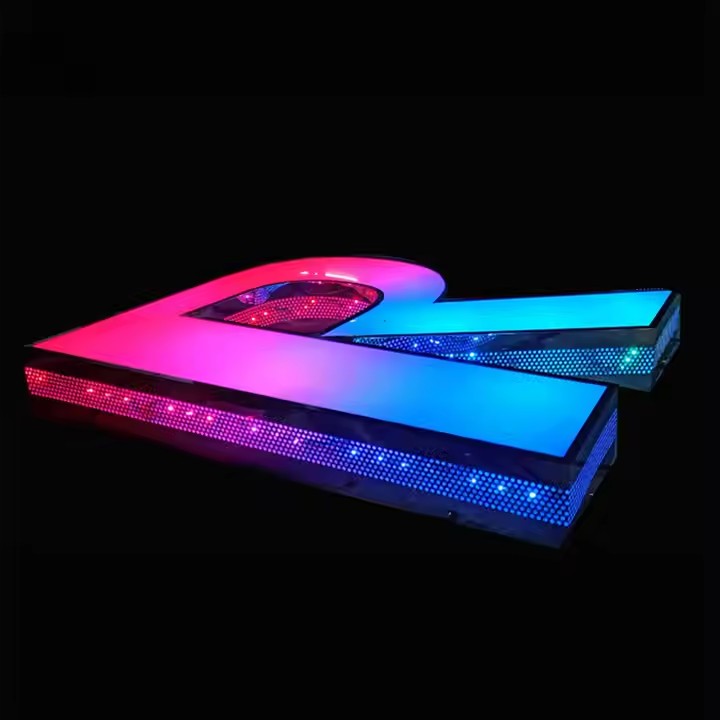
- Modules are accessible from the back of the letter, so a single unit can be replaced without cutting into the face
- Drivers sit on the raceway or inside the cabinet, sized with headroom for every channel at full brightness
- Every order ships with wiring instructions and installation documents so a local electrician can do this work
- We provide installation videos, technical support and matching spare modules with a new order
Photograph and video the fault before starting work. If it is inside the warranty period — 3 years on LED components, 5 years on the structural aluminium housing — that evidence is what the claim is assessed on.
Preventing the fault in the first place
- Specify branded modules and drivers, and keep spares with matching part numbers
- Match the IP rating to the exposure: IP65 to IP68, chosen for the site rather than the catalogue
- Seal the cable entry properly, because most intermittent faults begin where the cable enters the letter
- Clear the face and the return of standing water and debris at least once a year
Conclusion
Work from the wall inwards: supply, driver, connectors, modules, seals. That order puts the cheapest and most common causes first. And when the fault is inside a component, document it before repair — a documented fault is a warranty claim, an undocumented one is an invoice.
Frequently asked questions
Why do my channel letters flicker only when switched on?
A fault that appears under load is usually a driver approaching failure, a controller issue or voltage drop on a long run. Check the input voltage at the sign and test the controller before assuming the LEDs have failed.
Can one LED module be replaced without replacing the letter?
Yes. Modules are accessible from the back of the letter, so an individual unit can be changed without cutting into the face, and we can supply spares with matching colour temperature.
Is a half-lit letter covered by warranty?
Inside the warranty period, LED module failures under normal operating conditions are covered — 3 years on LED components and 5 years on the structural aluminium housing. Send photos or video of the fault with the installation details.
Sources and further reading
- LED lamp — Wikipedia — How LED modules and drivers interact.
- Electrical wiring — Wikipedia — Low-voltage supply and voltage drop background.
- IP code — Wikipedia — Ingress protection and what it prevents.
- Solid-State Lighting programme — U.S. Department of Energy — LED performance and failure behaviour.
External links above point to independent reference material. We are not responsible for the content of external sites.